Helping family
Help with their Mac, without taking it over.
Talk Dad through a printer problem from your iPhone. If words aren't enough, ask to see his screen. Desk Host on his Mac asks him first, and he can end it at any time.
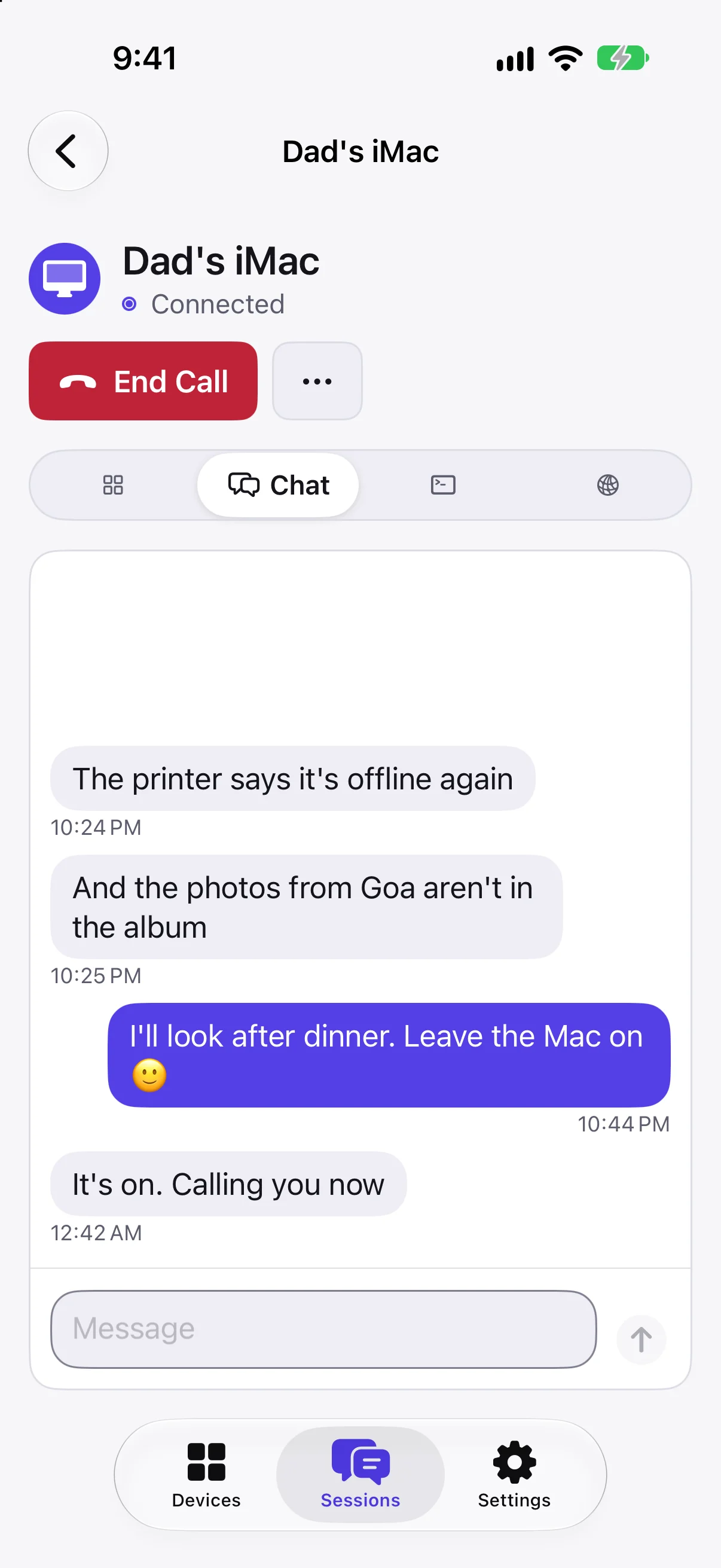
Talk first
Chat or call the person at the Mac without opening its screen. Messages and calls arrive as notifications on both sides.
- Voice calls from either side.
- The chat stays with the session.
- No screen shared until you need it.
They stay in charge
When you ask to see the screen, Desk Host shows your device's name on their Mac. They choose view only or control, and can end the session from the menu bar.
- Nothing happens without their OK.
- View only or control, their choice.
- Encrypted end to end.
Set up once
Install Desk Host on their Mac once and note its Desk ID. After that, helping is a tap away, from home or anywhere.
- No router setup at their house.
- Works on their Wi-Fi and your mobile data.
- Send them a file or get one from their Mac.
Questions
Does the other person need an account?
Their Mac needs Desk Host. A Pro account covers the Macs you connect to, up to 3.
Can I see their screen without asking?
Not unless they set up unattended access with a password. By default the Mac asks every new device first.
Does the Mac need to stay awake?
Yes. In System Settings, open Energy and turn on Prevent automatic sleeping when the display is off.