AI coding agents
Leave the agent running. Check on it from your phone.
Start Claude Code, Codex or any other agent in a terminal on your Mac mini, Mac Studio or iMac. Close the app and it keeps working. Open Lumzoi Desk on your iPhone later and the shell is there, with everything it printed while you were away.
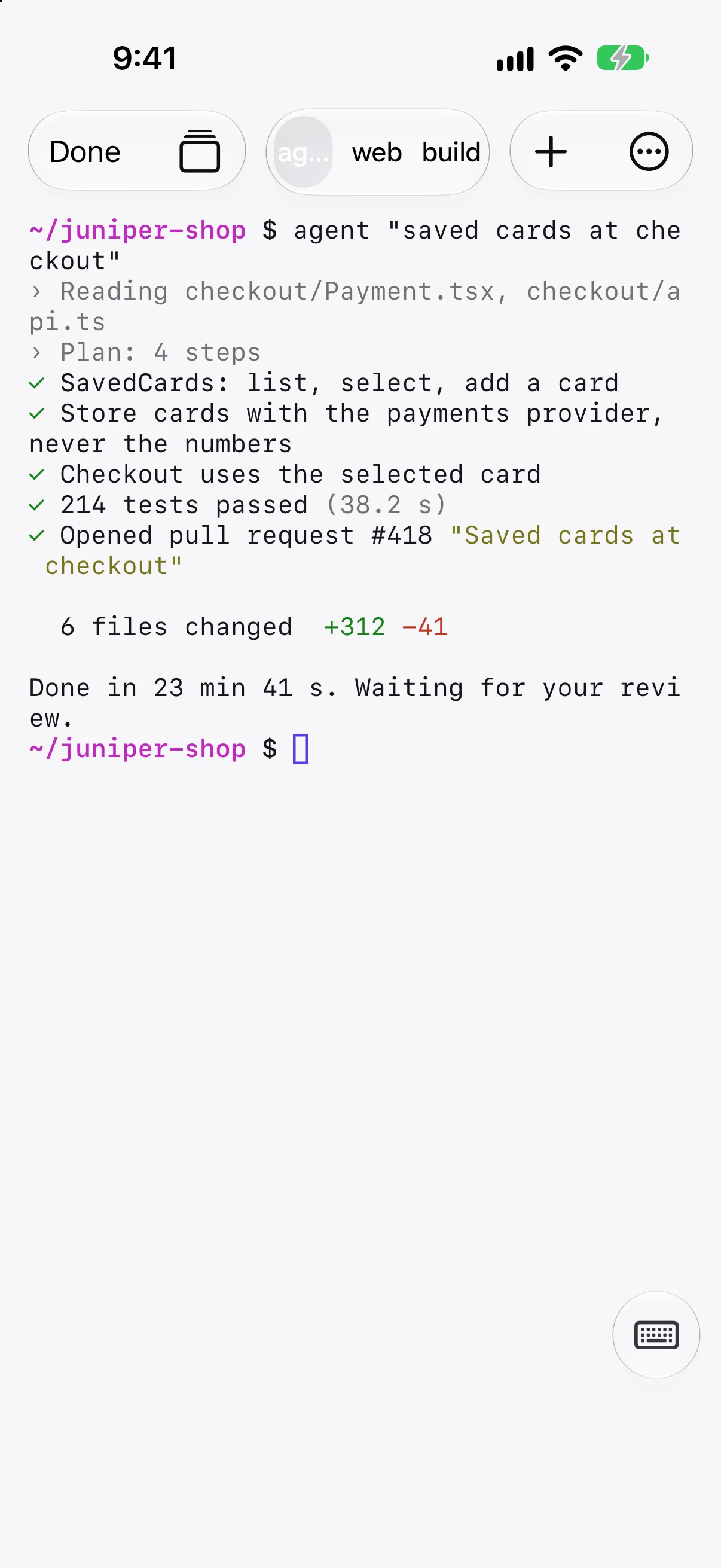
A terminal that outlasts the connection
Shells on the Mac belong to your session, like tmux, so losing signal or closing the app doesn't stop the agent. They stay for up to 7 days, or until you end them.
- Reopen and every shell comes back as a tab.
- Scroll back through what it printed while you were away.
- Answer its prompts with the Esc, Tab, Control and arrow keys.
Review the work on the full desktop
When the agent is done, open the Mac's desktop on your iPad or iPhone. Read the diff in your editor and click through the change in a browser, with text that stays sharp.
- Keyboard and trackpad on iPad work as on a Mac.
- Copy and paste between your device and the Mac.
- Switch between terminal and desktop in the same session.
Try what it built from your laptop
A tunnel opens the Mac mini's dev server on your MacBook as if it ran there. Nothing on the Mac is exposed to the internet.
- Web previews, SSH and databases.
- Private to your devices, encrypted end to end.
- Kept with the session.
Questions
Does Lumzoi Desk include Claude Code or Codex?
No. They run on your Mac as they normally do, with your own account. Lumzoi Desk gives you the Mac's terminal, desktop and dev server from your other devices.
Will the agent stop if my phone loses signal?
No. The shell runs on the Mac and stays in your session for up to 7 days. It stops only if you end it or the Mac restarts.
Mac mini or Mac Studio?
Either works, as does any Mac with Apple silicon. A Mac mini is a quiet, low-cost machine for agents and builds; a Mac Studio has more memory for running large local models alongside them.
Does the Mac need to stay awake?
Yes. In System Settings, open Energy and turn on Prevent automatic sleeping when the display is off.